Mobile Design: Drink Ordering App (Case Study)
A simple app for ordering drinks at wedding parties
Project overview
A design I made for a recruitment task. It is a simple app design intended to quickly order a drink during a wedding party. The goal was to create a simple app, so that people of all ages and technical skills could use it.
Tools:
Figma, Adobe Photoshop, ChatGPT
Click to view the design in Figma
My design process
Simple user flow
First and foremost, due to time restraintes, I applied a simplified design process — for example, I did not create personas, empathy maps, or complex user flows. Instead, I based the project on a few key assumptions:
- Wedding guests may come from different age groups and have varying levels of tech-savviness
- The time from launching the app to placing a drink order should be no more than a few seconds
- The UI should be simple and intuitive, with large buttons, no unnecessary steps, yet still visually engaging
Additional assumptions:
- Clear, legible fonts
- Friendly messages
- No login required
- UI and color palette should reflect a fun and festive atmosphere
I designed the following simplified user flow:
1. The user downloads the app from the store by name or scans a QR code at the entrance to the wedding hall
2. The user selects a drink from a simple yet visually engaging menu
3. The user confirms their location (by scanning a QR code at the table or entering the table number – all tables are numbered)
4. The user places the order and receives a confirmation
5. A waiter brings the drink to the table
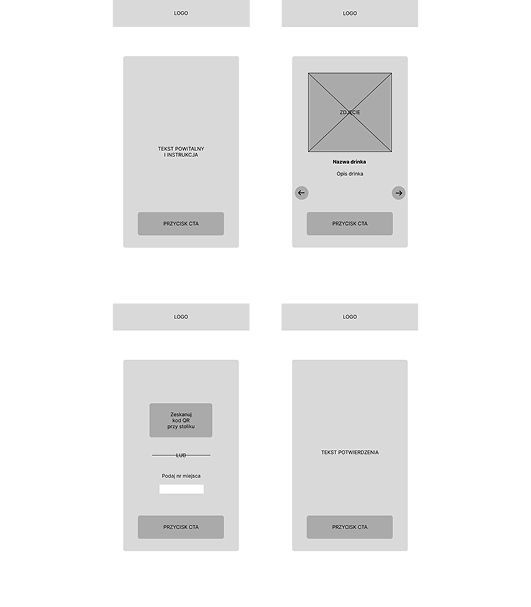
Lo-fi wireframes
After defining the initial assumptions, I created a simple lo-fi wireframe in Figma. At this stage, I focused on the layout of elements and their functionality.
Styling & prototype
Next, I began refining the design. I chose a dark, elegant color scheme to ensure good readability in dimly lit wedding venues. The accent color references a popular wedding style.
I defined the app's grid and margins (8 px, 16 px, 32 px).
For the visual style, I opted for a visually appealing yet simple interface inspired by the Glass UI aesthetic.
Regarding typography, I selected the clean and readable Poppins font for main text elements, and paired it with Agbalumo for headings to create contrast. I defined the following font sizes:
- Titles: 26 px
- Headings: 20 px
- Buttons: 18 px
- Body text: 16 px
I then proceeded to design the individual screens. To streamline the process, I created reusable components. I also applied subtle shadows to emphasize the functionality of buttons and cards.
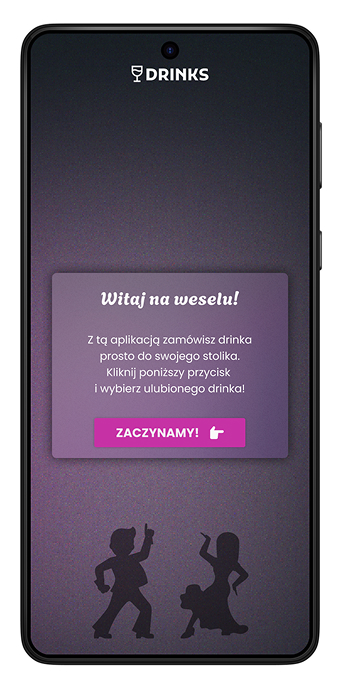
Welcome screen
A simple screen with a brief explanation of how the app works.
The text is limited to essential instructions so that users don’t have to read much, can place an order quickly, and focus on enjoying the party.
Potential future features:
- Adding an admin login menu, where the host can customize the color scheme to match the venue’s decor
- Option to add a photo of the newlyweds to the welcome screen
- Ability to input a custom drink menu
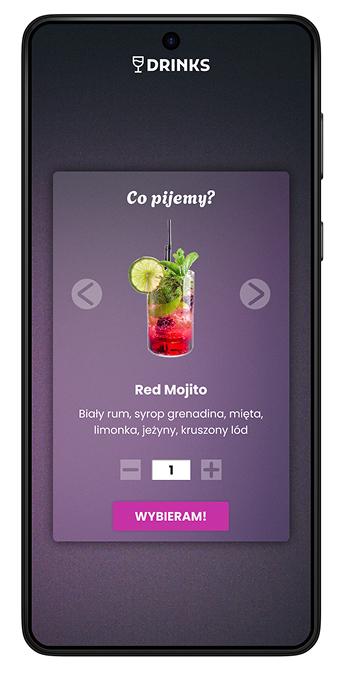
Drink selection screen
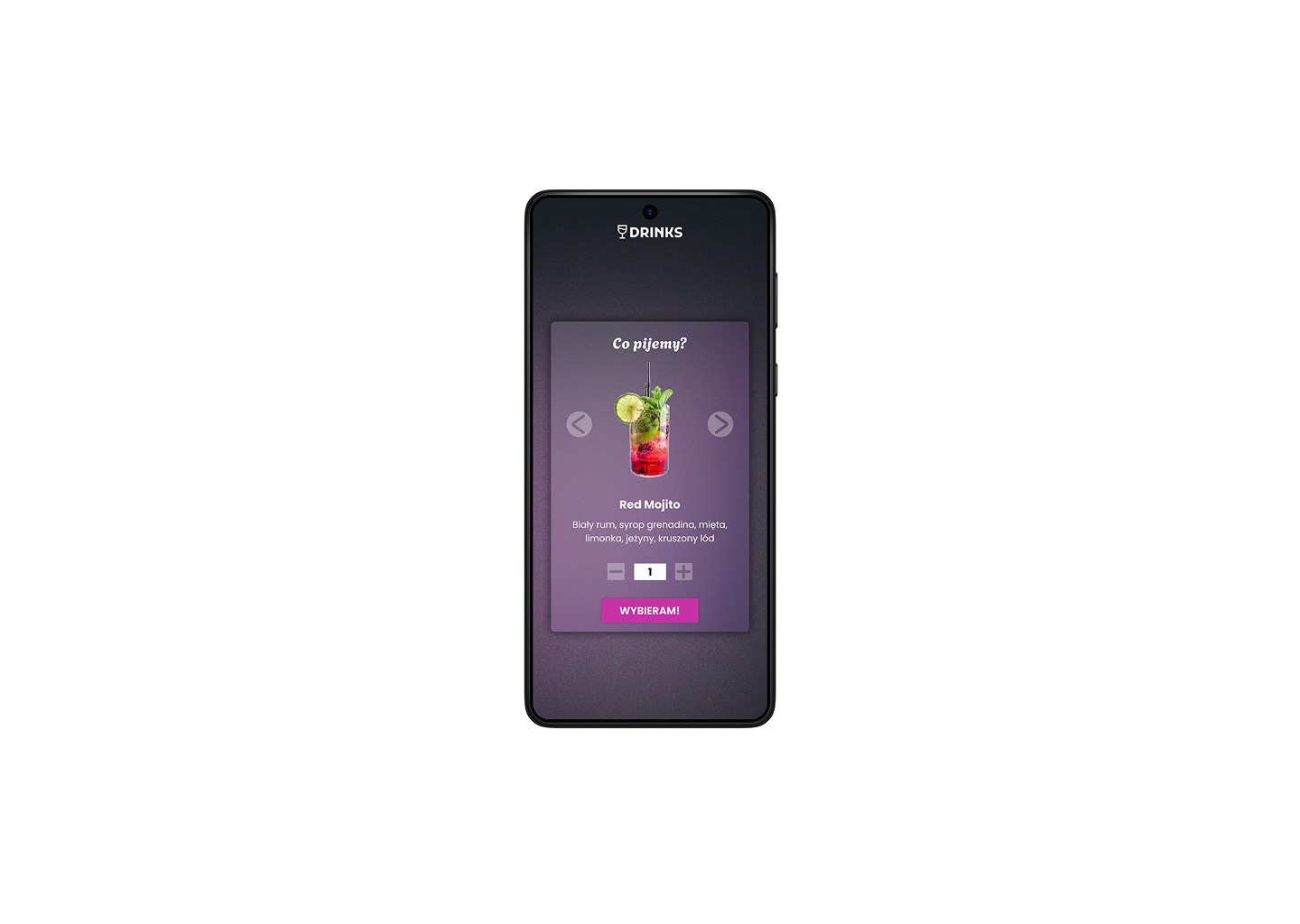
The user is immediately taken to the drink selection screen with the available options.
Engaging illustrations enhance the experience.
The user can specify the number of drinks to order.
Potential future features:
- Adding a cart, so one person can order different drinks for the entire table
- Adding a search field to find drinks by name
- Adding a notes field to allow users to customize their drinks
- A favorite drinks icon for quick access
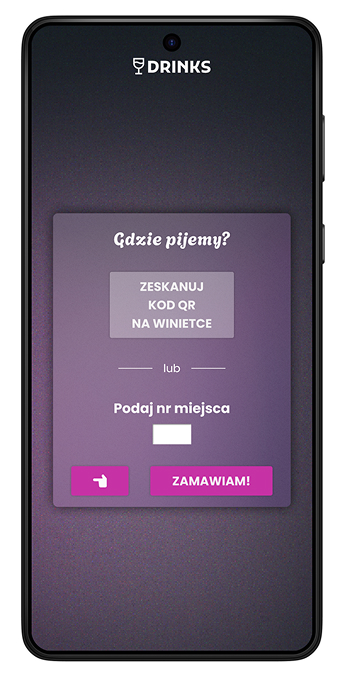
Seat selection screen
The user enters their table number. This can be done by tapping the QR code scan button or by entering the number manually.
The user can also go back to the previous screen.
Potential future features:
- Adding a “I don’t know my table number” button and a basic help menu
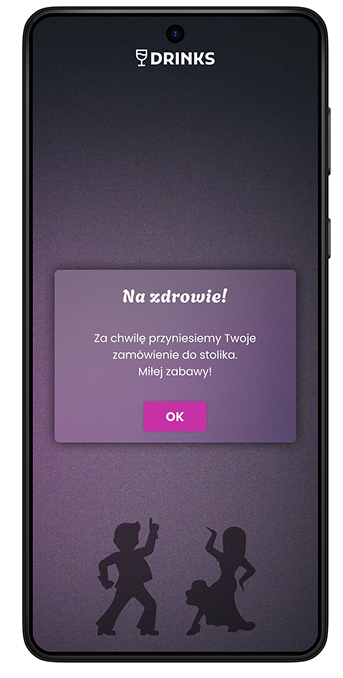
Confirmation screen
The user receives an order confirmation. After tapping the button, they return to the main screen and can place another order.
Potential future features:
- Adding an engaging animation
- Displaying an order summary and table number